Camflite Mapper › DJI waypoint planner
DJIDJI waypoint missions for DJI Pilot 2, planned in your browser
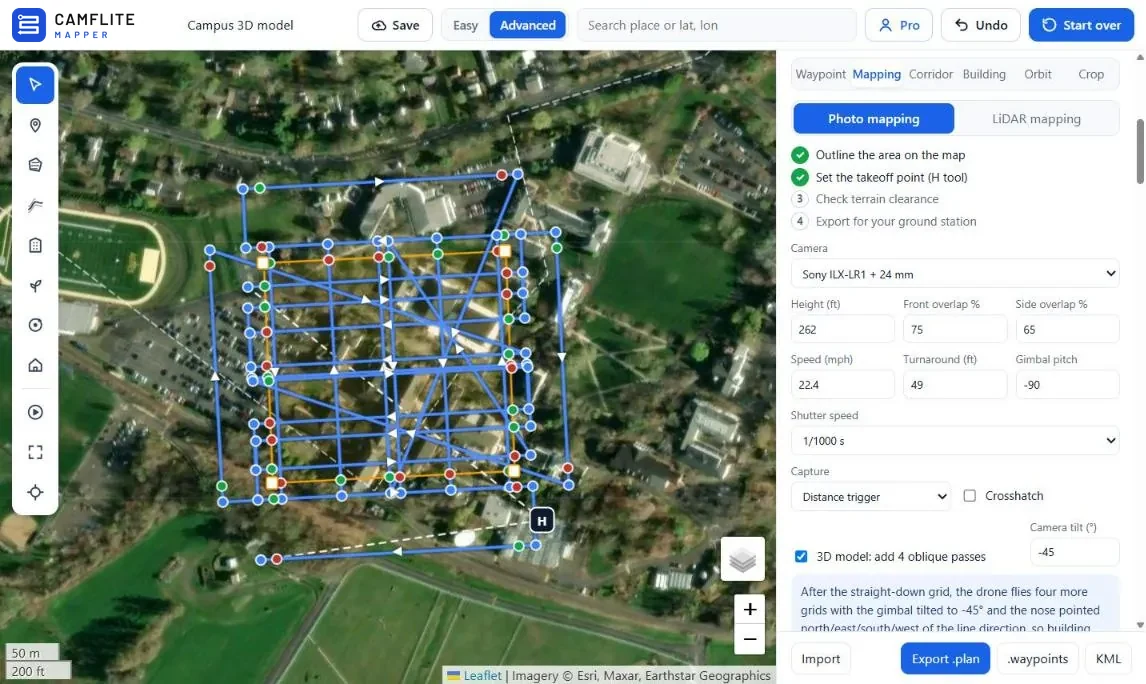
Plan mapping, 3D, LiDAR, corridor, facade and inspection missions on a big screen, then export a .kmz that opens in DJI Pilot 2, written to DJI's own route-file specification for each aircraft and payload.
Files DJI Pilot 2 opens as they are
Checked against DJI's spec
Every route file carries the aircraft and payload codes from DJI's own tables, the required mission and waypoint settings, and per-waypoint headings and gimbal angles.
Aircraft and payloads
Matrice 4E / 4T / 4D / 4TD, Matrice 400, M350 RTK and M300 RTK with P1, L1, H20 and H30 payloads, M30 / M30T, Mavic 3E / 3T / 3TA and Matrice 3D / 3TD.
Consumer drones via Litchi
Mini 4 Pro, Air 3 and Mavic 3 missions export as Litchi CSV.
Every mission type
Photo maps, 3D models, LiDAR, corridors, facades, orbits, power line inspection and soft wash all export to DJI.
Plan once, check everything
Pre-flight check
LAANC grid ceilings, controlled and restricted airspace, charted obstacles, wind and gusts at height, rain, visibility and sunset for the day you fly.
Send it to the controller
The last step lists how to get the file onto your controller and into Pilot 2, step by step.
How it works
From map to mission file in four steps
- Pick your DJI droneOr save your own with its real flight time and payload.
- Draw the missionArea, corridor, building, orbit or waypoints.
- Check itAirspace, obstacles, weather and batteries.
- Export .kmzCopy it to the controller and open it in DJI Pilot 2.
Questions
DJI waypoint planner: common questions
Which DJI drones are supported?
For DJI Pilot 2: Matrice 4 series, Matrice 400, M350 RTK, M300 RTK, M30 / M30T, Mavic 3 Enterprise and Thermal, Mavic 3TA and Matrice 3D / 3TD. Consumer drones use Litchi CSV.
Does it work with the Zenmuse L2?
The L1 is supported. DJI hasn't published the L2's route-file code yet; export a route made for the L2 from Pilot 2 and send it to us and we'll add it.
Can I use the same mission on a PX4 or ArduPilot drone?
Yes. The same plan exports to QGroundControl .plan and Mission Planner .waypoints too.
Is it free?
Planning, checking and exporting are free in early access with an account. Pro adds online mission saving.
Plan your next job in the browser
Free account, nothing to install. Export to your ground station or DJI Pilot 2.
Start planning free →